Android Automotive OS
Your self-hosted music, in your car
Norrklang is a music player for Navidrome and Subsonic-compatible servers, Plex and Jellyfin, made for cars running Android Automotive OS. It installs in the car itself — not on your phone — and plays your own music, straight from your server.
- Gapless playback
- No analytics, no third parties
- GPL-3.0 open source
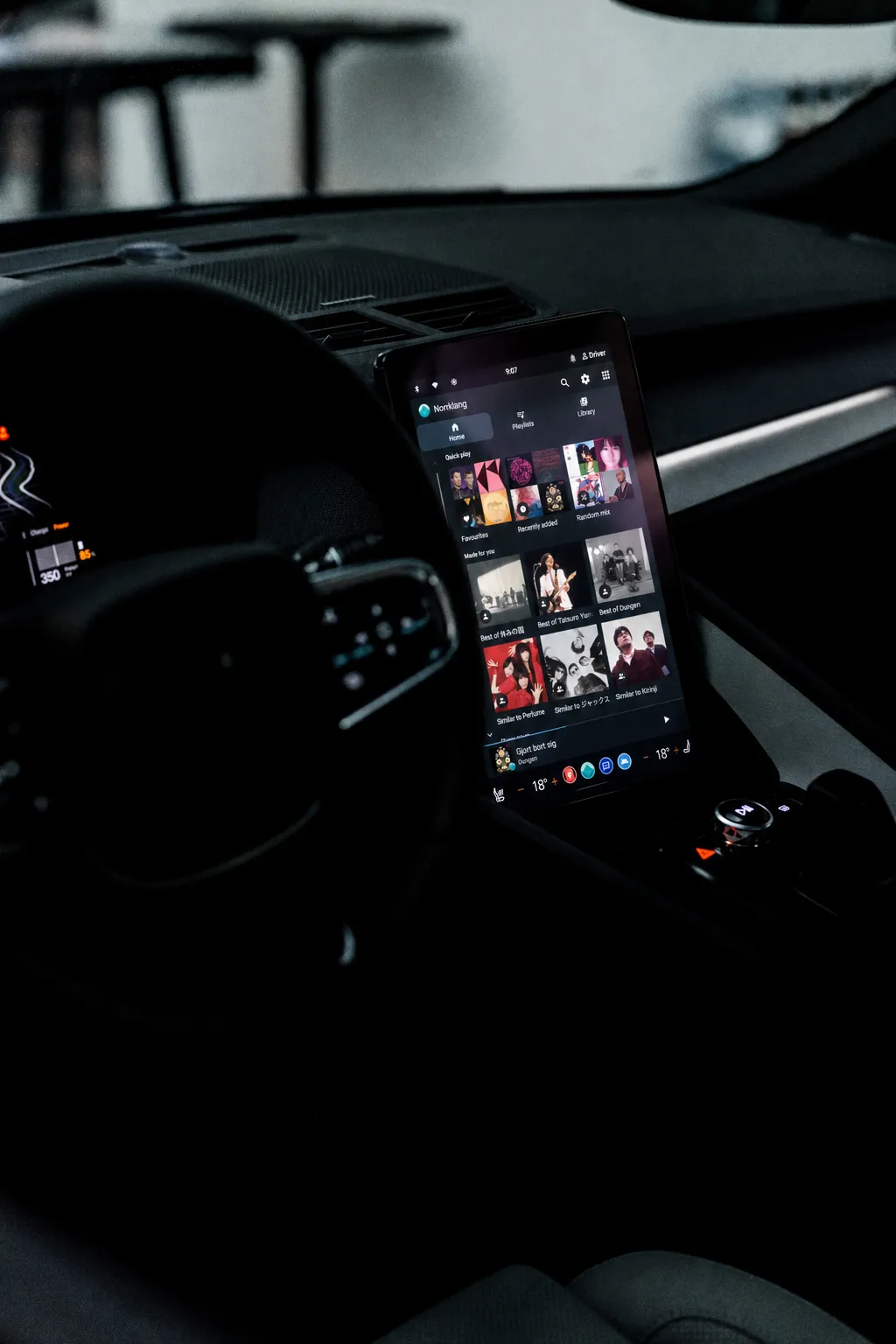
From the driver’s seat
What it does
Home screen
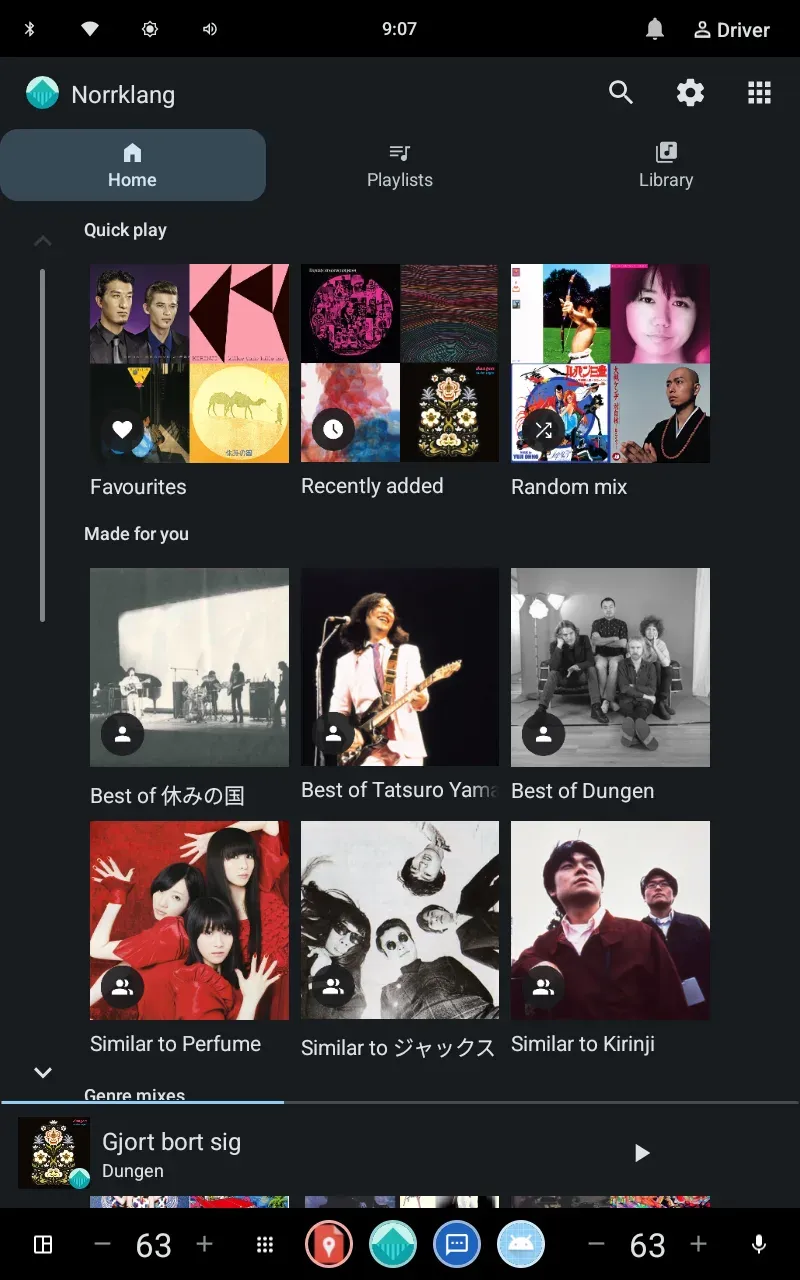
Quick play, favourite artists, recently added tracks, the radio stations you play most, and mixes made from your own library — Best of, Similar to, genres and decades.
Library
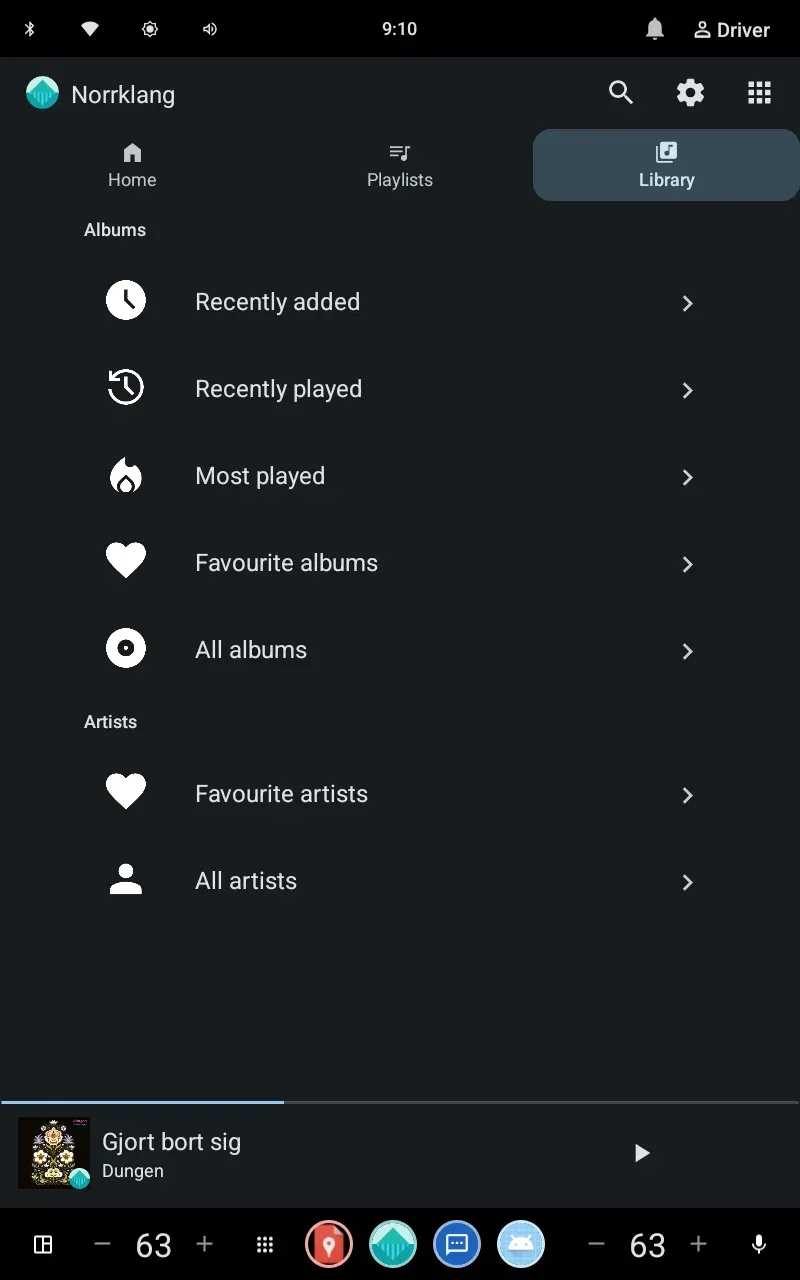
Artists, albums, playlists, favourites and your server’s internet radio stations, with long lists split into alphabetical sections so they’re quick to scroll.
Playback
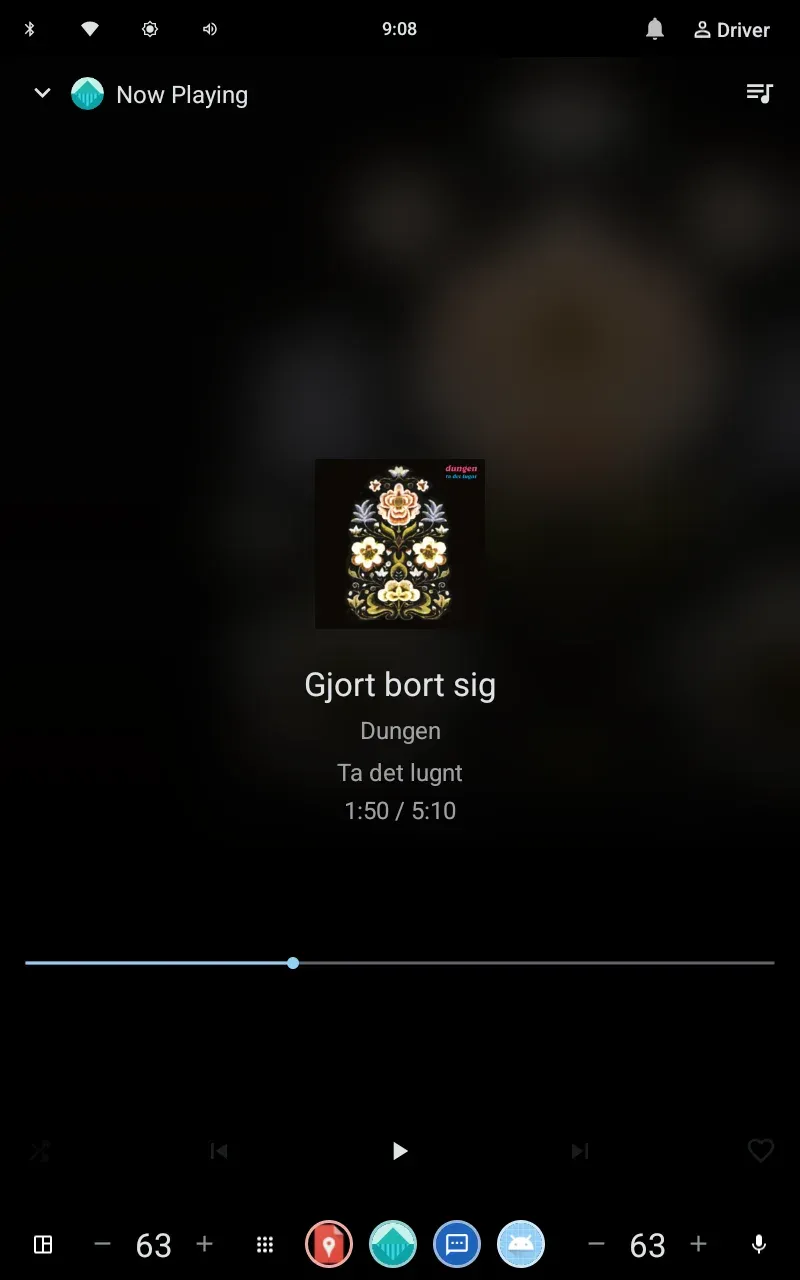
Play, shuffle, seek, queue and heart the current track — on radio, the heart saves the song for later and next and previous switch station. Picks up where you left off after the car restarts, and adds similar songs when the queue runs out.
Search and assistant
Type it or say it — search artists, albums and tracks. Or ask the car’s assistant to play an artist, album, song or playlist.
Streaming quality
Original files on Wi-Fi, a capped bitrate on mobile data — or pick your own tiers for each connection in the settings.
Scrobbling
Play counts go to your own server, not a third party. Exclude artists, playlists or whole libraries, or turn it off in the settings.
On the car’s screen
Feels at home in your car
Browse artists, albums, playlists and mixes with the controls your car already has. Norrklang follows Android Automotive’s media and safety conventions — down to the Material Symbols icons — so it looks and behaves like it came with the car.
Getting started
What you need
A Navidrome, Plex or Jellyfin server
Norrklang plays music from your own server. It’s built and tested against Navidrome, works with other servers that speak the Subsonic API, connects to a Plex Media Server by linking your Plex account (Plex Home profiles included), and signs in to Jellyfin with your server address and account. If the server has several music libraries, you pick which ones to show.
A car running Android Automotive OS
The kind of car with Google Play built into the dashboard — Polestar, Volvo, Renault, Chevrolet, Honda and a growing list of others. The app runs in the car itself, not from your phone.
A secure connection
Your Navidrome or Jellyfin server needs to be reachable over HTTPS. If you already reach it from outside your home network, you’re most likely all set. Plex connections use Plex’s own secure addresses, so there’s nothing extra to set up. Internet radio stations play from whatever address your server lists for them, plain http included.
Private by design
Your listening stays between your car and your server
No accounts, no analytics, no ads. The app talks to your server and nothing else — apart from the radio stations you choose to play, which stream from their own servers. When you sign in, only an encrypted token is kept in the car; your password is stored, encrypted the same way, only for the few servers that can’t verify tokens.
Open source
Free, as in Navidrome
Norrklang is licensed under GPL-3.0-or-later — the same license as Navidrome — and developed by Koeda Studio. The app, this website and the release tooling are all on GitHub. Bug reports and contributions are very welcome.
Get Norrklang in your car
Open Google Play in your car and search for Norrklang, or install it remotely from the listing below — it’s free. Sign in to your server, and your library is right there on the dashboard.